

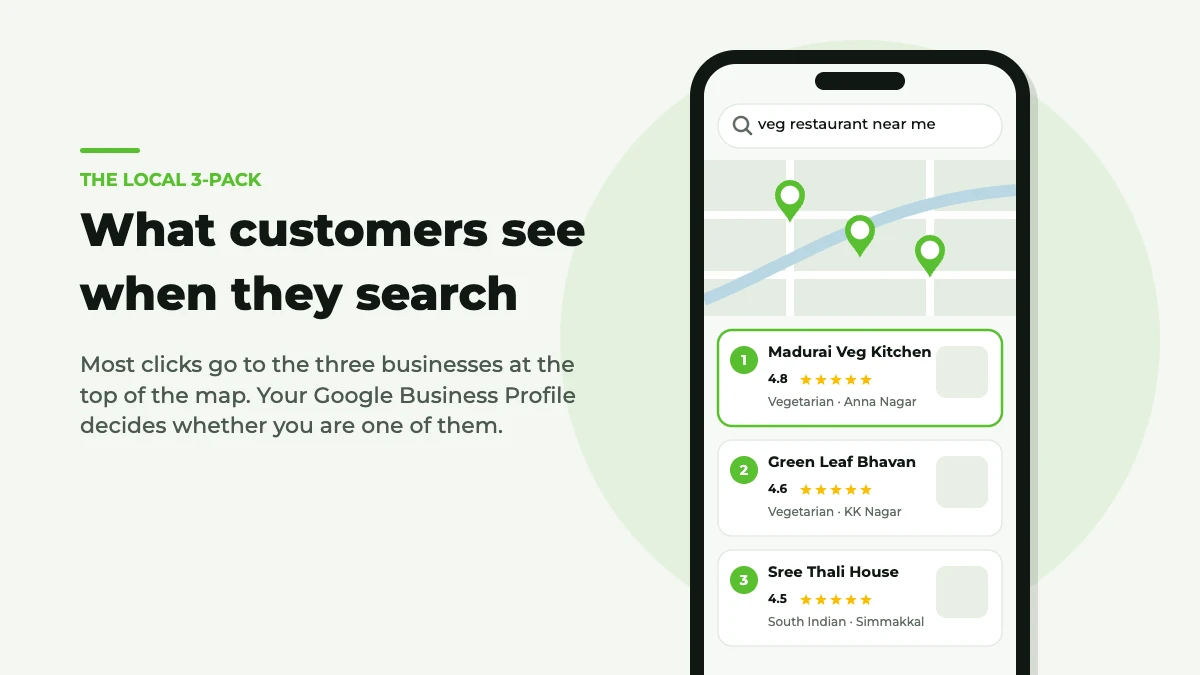
Picture a family outside the Meenakshi Amman Temple typing “veg restaurant near me” into their phone. Google shows a map with three businesses at the top. Those three get the calls, the direction requests and the footfall. Everyone else is invisible.
That is why Google Business Profile optimization matters for every local business in Madurai, whether you run a textile shop on Masi Street, a clinic in Anna Nagar or a lodge near Periyar bus stand. This guide shows you how to add your business to Google Maps and optimise it to rank higher.
What Is a Google Maps Business Profile?
A Google Maps business profile (formerly Google My Business) is the free listing that appears when people search for your business or services on Google Search and Maps. It shows your name, address, phone number, hours, photos, reviews and one-tap “Call” and “Directions” buttons.
For a local business, it often works harder than your website because many customers call or visit straight from it.
How Google Decides Who Ranks on Google Maps
Google ranks local results on three main factors:
- Relevance: how well your profile matches the search.
- Distance: how close you are to the searcher or the area in their query, such as “KK Nagar”.
- Prominence: how well known and trusted you are, judged by reviews, ratings, links and mentions across the web.
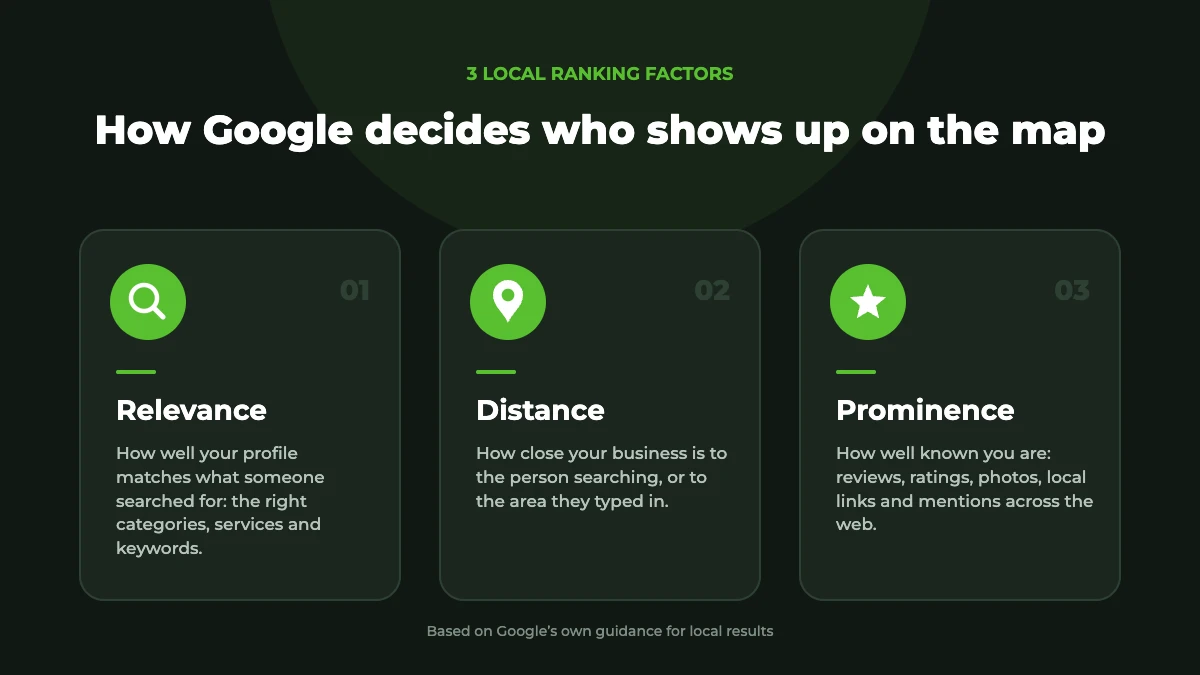
You can’t move your shop closer to every customer, but you can control relevance and prominence. That is what optimisation does.
How to Add Your Business in Google Maps: Step by Step
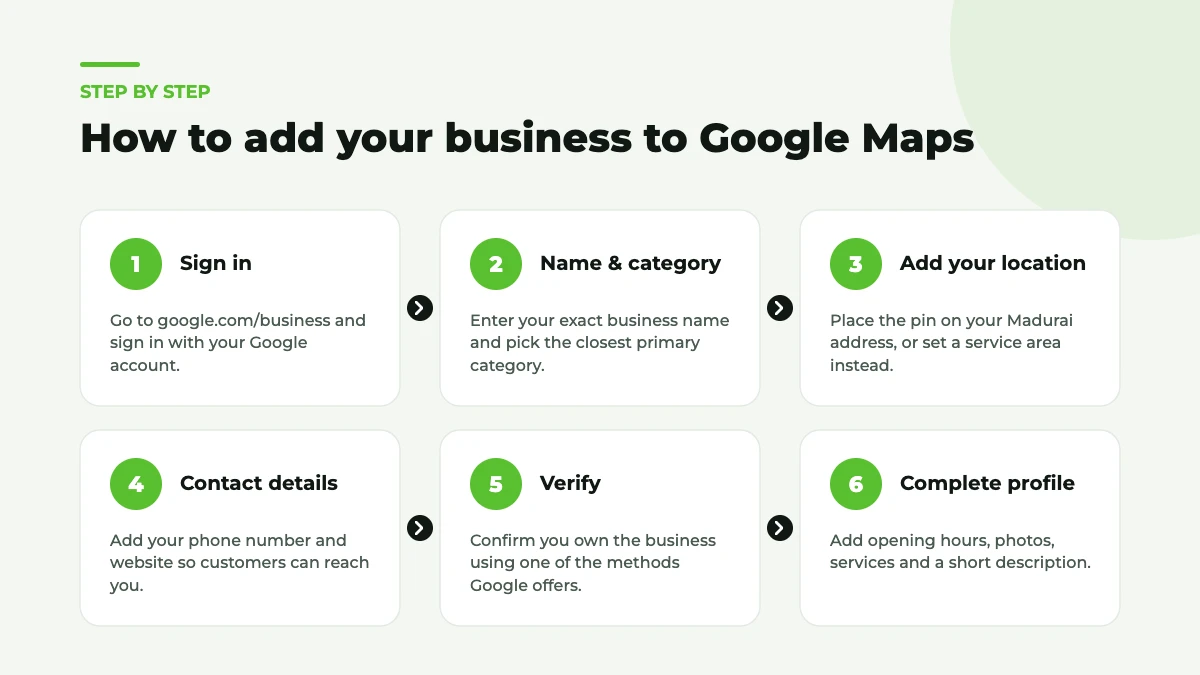
- Go to google.com/business and sign in with a Gmail account the business owns, not an employee’s personal one.
- Enter your business name exactly as it appears on your signboard.
- Choose your primary category, such as “South Indian Restaurant” or “Dental Clinic”.
- Add your location. If customers visit you, enter your full Madurai address and place the map pin accurately. If you visit customers (plumbers, pest control), set a service area and hide your address.
- Add your phone number and website.
- Verify your business. Google may ask you to verify by phone, SMS, email or a short video showing your signage and workplace.
8 Google Business Profile Optimization Tips to Rank in Madurai
1. Complete Every Section
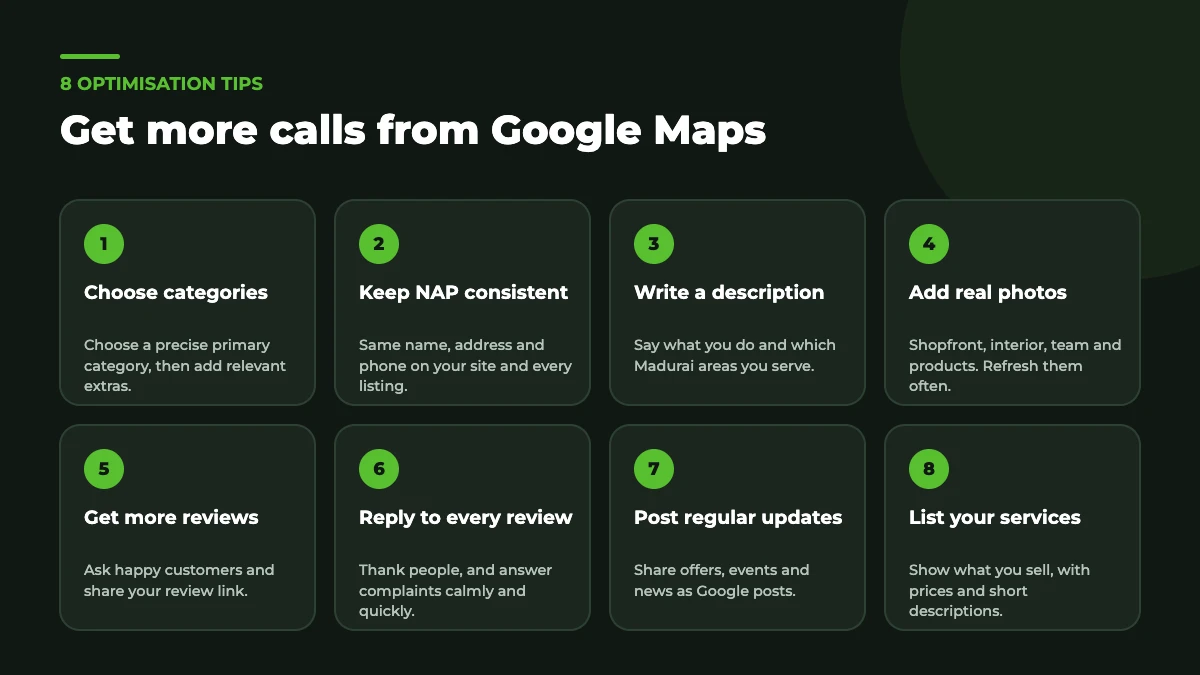
Incomplete profiles look less trustworthy. Add opening hours (including special hours for Pongal, Deepavali and Chithirai festival days), services, attributes like “accepts UPI” or “wheelchair accessible”, and your description.
2. Choose the Right Categories
Your primary category is one of the strongest ranking signals. Pick the most specific option, then add relevant secondary categories. A wedding hall might choose “Wedding Venue” as primary, with “Banquet Hall” as secondary.
3. Write a Natural, Keyword-Rich Description
You get 750 characters. Say what you do, the areas you serve and what makes you different: “Family-run sweet shop in Madurai since 1985, famous for Jigarthanda and fresh halwa, serving Simmakkal, Goripalayam and Tallakulam.” Don’t stuff keywords or add links here.
4. Keep Your NAP Consistent
Your Name, Address and Phone number should match exactly on your profile, website, Justdial, Sulekha, IndiaMART and social pages. Mismatched details confuse Google and weaken rankings.
5. Upload Real Photos Regularly
Add clear photos of your storefront, interior, team and products. A storefront photo helps first-time visitors spot you from the street, and fresh photos each month signal an active business. Skip stock images.
6. Earn and Reply to Reviews
Reviews strongly influence prominence. Share your review link on WhatsApp or print it as a QR code at the billing counter. Reply to every review, good or bad, politely and quickly; answering Tamil reviews in Tamil adds a personal touch. Never buy fake reviews, as Google can remove them and suspend your profile. Genuine reviews and consistent mentions also influence whether AI tools like ChatGPT and Google’s AI Overviews recommend your business.
7. Publish Google Posts Weekly
Share offers, new arrivals, events and festival greetings through Posts. A Deepavali discount or new menu item keeps your profile fresh and gives searchers a reason to choose you. To show the same offer to people who aren’t searching yet, see what Facebook and Instagram ads cost.
8. Add Products, Services and Booking Links
List key products and services with short descriptions and prices. If you take appointments or reservations, add a booking link. These details help you appear for specific searches like “root canal treatment in Madurai”.
Common Mistakes to Avoid
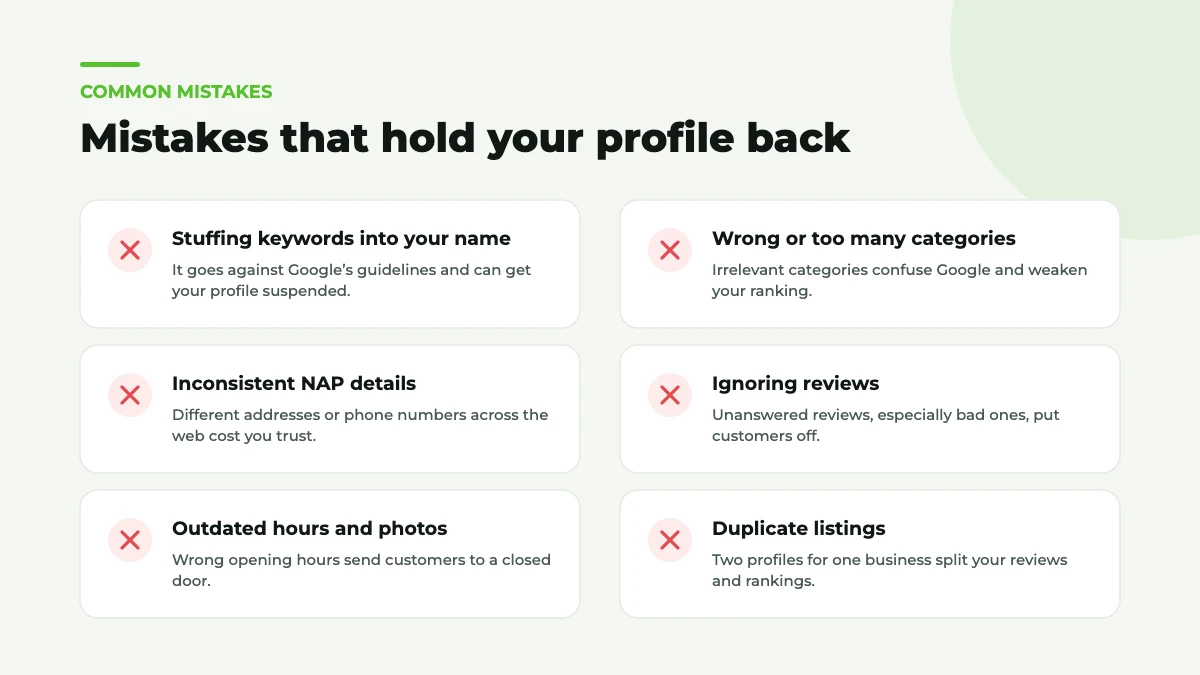
- Adding keywords to your business name (“Ravi Mobiles Best Mobile Shop Madurai”), which breaks Google’s guidelines.
- Using a virtual office or PO box address.
- Creating duplicate listings for one location.
- Ignoring the profile after setup.
Frequently Asked Questions
How long does it take to rank on Google Maps in Madurai? It depends on competition. Niche categories can move within weeks, while crowded ones, like restaurants near the temple, need months of steady reviews and activity. Need calls sooner? See what Google Ads cost in Madurai.
Is a Google Business Profile free? Yes. Creating and managing it costs nothing.
Not sure whether to start with Maps, ads or SEO? Read the digital marketing guide for small businesses.
Final Thoughts
Google Business Profile optimization is one of the highest-return marketing activities for any Madurai business. Set up your listing correctly, keep it complete and active, earn genuine reviews and stay consistent across the web. Do this month after month, and you’ll climb the Google Maps rankings and turn local searches into calls, visits and sales.
Want your business in Madurai’s top three on Google Maps? Contact Alphonse Jeyaraj for a free Google Business Profile audit today.